
Multi-branch QR Menu
QR Menu Management for Multi-branch Restaurants
Ta3me's multi-branch menu management lets you manage the QR menu of several branches from one account. You can define a separate menu and QR code per branch.
- Separate menu and QR code per branch
- Each branch's QR code opens its own menu
- Branch menus managed from one account
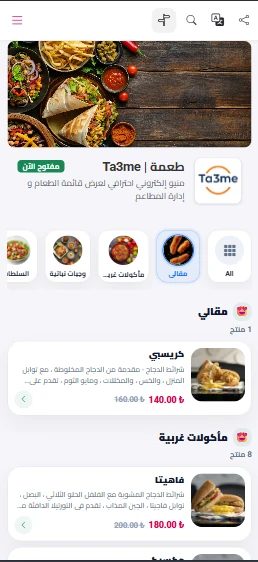
Menu sprawl as branches grow
When each branch's menu is managed separately, price differences, out-of-date content and mixed-up QR codes become common.
Ta3me brings branch menus under one account. You define a separate menu for each branch, and each branch's own QR code opens its own menu.
How multi-branch menus are managed
You define branches from one account and give each branch its own menu.
Define the branches
You create each branch under one account.
Set up the menu
You define a separate menu for each branch.
Distribute the codes
Each branch publishes its own menu with its own QR code.
Update from one account
You update menu changes in the relevant branch from the dashboard.
What multi-branch menu management gives you
Menu per branch
You define an independent menu for each branch.
QR code per branch
Each branch's code opens its own menu.
Updates per branch
You update menu changes in the relevant branch from the dashboard.
Management from one account
You manage all branch menus from the same account.
Multi-branch menu management — frequently asked
Can I define a separate menu per branch?
Yes. You can define an independent menu and QR code for each branch.
Do I manage the branches from one account?
Yes. You manage branch menus and codes from a single account.
Does this page cover unified tracking of branch orders?
No. This page covers menu and QR management. For order tracking, see the order and table management page.
Related solutions
Let's bring your branch menus into one account
Leave a short trial request and we will set up the branch menu structure together.